
400% up to $4,000 and 100 free spins
Welcome Bonus
Ozwin login: Sign-in steps and account checks in Canada
For Ozwin login, choose Log In if you already have an account. Sign Up is for creating one. If you cannot get in, check your entered details and browser first, then contact our support through LiveChat or email if the problem persists.
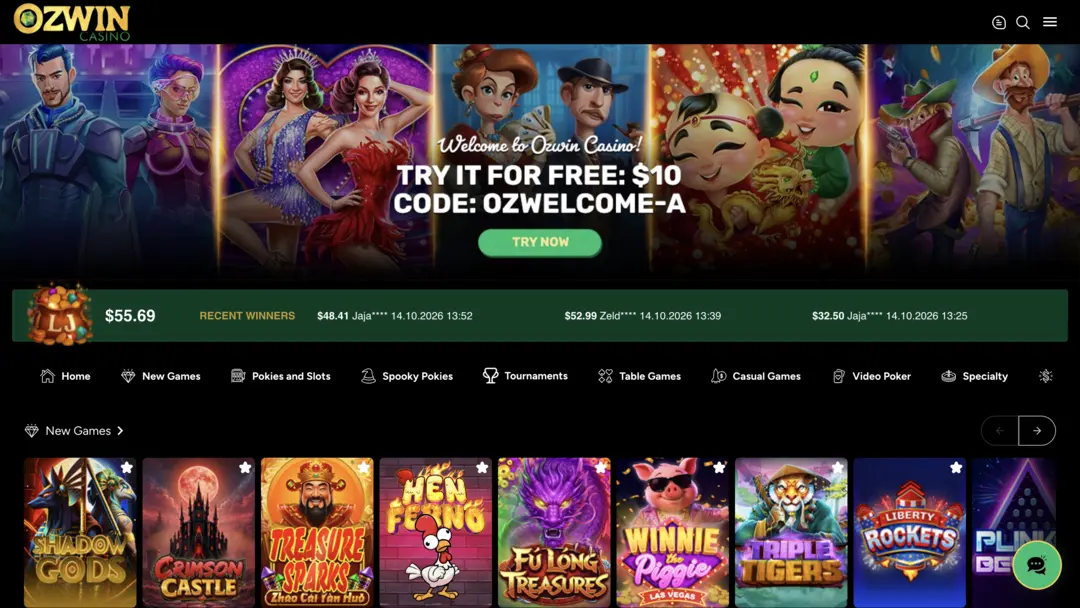
Ozwin casino login for your existing account
Signing in returns you to an existing account; it is separate from registration. Open the casino site, select Log In and enter your existing account details. Our Ozwin casino overview covers the wider product; it is separate from the account sign-in control.
If you are switching devices, use the same existing account rather than treating a different browser or phone as a reason to sign up again. An unsuccessful sign-in does not, by itself, tell you whether the issue is with the details entered or the page loading; the checks below help you narrow that down.
Check a sign-in problem
Start with the simplest checks before asking support to look into access.
- Check the details you entered for typing errors, including an extra space or a character that looks similar to another.
- If your browser fills in details automatically, check that it has not selected an outdated entry or one for a different account.
- Check Caps Lock and your keyboard layout, then enter the details again.
- If the page itself is not responding, reload it or try another browser or device. This can help distinguish a page-loading problem from a problem entering your details.
- If you still cannot sign in, contact our 24/7 support through LiveChat or email and explain what happens when you try.
Describe the point where you get stuck rather than sending your password in a support message. For example, say whether the page fails to load or whether you reach Log In but cannot complete sign-in.
Browser access and demo play by device
You can use instant play in a desktop browser, and mobile instant play is available on Android and iOS. The distinction matters most if you are trying to play a demo rather than return to a real-money account.
| Device | Instant-play access | Demo access |
|---|---|---|
| Desktop browser | Available across browsers; Google Chrome is recommended for the best experience | Available while logged out |
| Android or iOS mobile browser | Mobile instant play available | Use an existing account, or register if needed, then choose Practice Mode |
For a desktop demo, you can play while logged out instead of resolving a sign-in problem first. On mobile, Practice Mode requires an account. Instant play is also available on Android and iOS tablets; these device details do not mean every individual game will appear on every screen.
Create an account and prepare for verification
If you do not yet have an account, use this signup sequence:
- Go to the homepage and choose Sign Up.
- Provide the requested personal details, such as your name and address.
- Complete signup. Real-money participation still requires lawful access in your province or territory, being at least 18 or the higher local age of majority, and any required verification.
Documents may be requested to establish identity, address, payment details or source of funds, and withdrawals can be suspended pending verification. The first withdrawal requires verification documents. Requirements vary by account and deposit method, so follow the request made for yours rather than assuming every example applies.
Possible examples include a colour government photo ID, a utility bill or bank statement no older than three months as proof of address, and a selfie holding your government ID beside your face. If you need to submit documents, the desktop route is Cashier > Withdraw > Account Verification; on mobile, use the menu > Withdraw > Account Verification route.
If you’re checking a promotion, the Ozwin casino no deposit bonus page covers that separate topic. Review the particular offer’s terms and eligibility before claiming; signing in alone does not establish an entitlement.
FAQ
Should I create a second account if I cannot log in?
No. Our rules allow one real-money account per player name. Duplicate accounts can be closed or merged, and related winnings can be voided. Use the access checks above and contact LiveChat or email if you still cannot sign in.
What verification documents might be needed before a withdrawal?
The first withdrawal requires verification documents. Depending on your account and deposit method, the site may request identity, address, payment or source-of-funds documents; withdrawals can be suspended while verification is pending. Follow the request made for your account.